
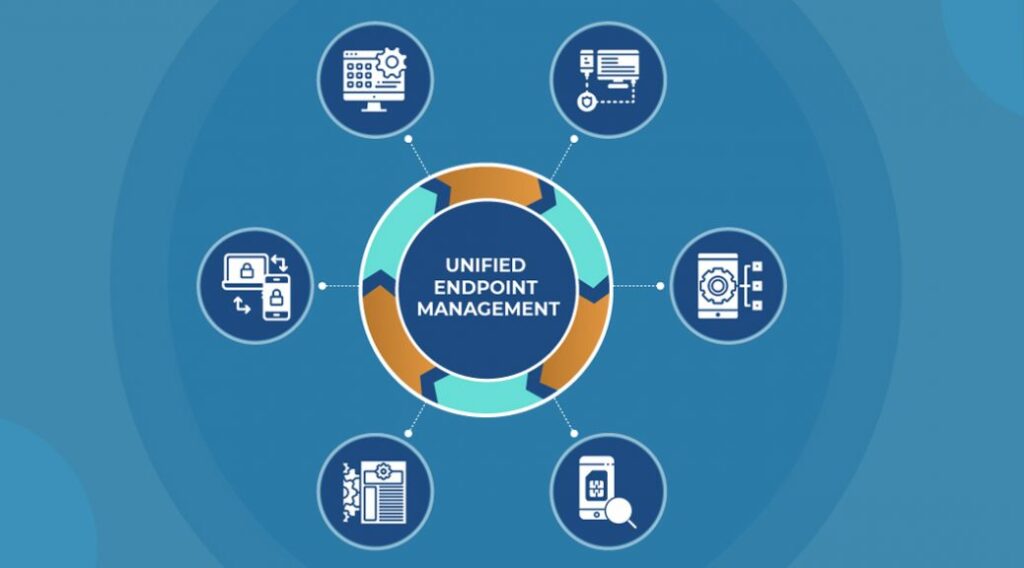
Why Devices Decide Whether Your Business Is Safe
1. Why Endpoint Security Is No Longer an IT Topic
In the past, security meant:
- Firewalls
- Servers
- Office networks
Today, business runs on:
- Laptops at home, client sites, airports
- Personal phones accessing work email
- Cloud apps accessed from anywhere
- Identities that never enter the office
The endpoint is now the perimeter.
If a device is compromised, attackers don’t stop there.
They move quickly from: Device → Identity → Email → Cloud Apps → Data
That’s why modern security must treat endpoints holistically, not as isolated laptops.
2. What Is Unified Endpoint Security (In Simple Terms)?
Unified Endpoint Security is not a single product.
It is the combined outcome of three Microsoft capabilities working together:
| Pillar | Microsoft Capability | What it really means |
|---|---|---|
| Device control | Microsoft Intune | You know, manage, and control devices |
| Threat protection | Microsoft Defender (Business / Endpoint P1 / P2) | You detect and stop attacks |
| Identity control | Microsoft Entra | You decide who can access what, from where |
| Identity control | Identity control | Identity control |
When these three work together, devices stop being weak links.
3. The Practical Endpoint Security Maturity Path for SMBs
Not every SMB needs “everything” on Day 1.
Microsoft supports a natural progression:
Level 1 – Managed Devices (Foundation)
- Intune
- Defender Antivirus / Defender for Business
- Entra ID P1
Devices are known, enrolled, and compliant.
Level 2 – Protected Devices (Most SMBs)
- Intune security baselines
- Defender for Business or Defender for Endpoint Plan 1
- Conditional Access using device health
Attacks are blocked, not just detected.
Level 3 – Actively Defended Devices (Security Focused SMBs)
- Intune
- Defender for Endpoint Plan 2
- Entra ID P2 (risk-based access)
Attacks are detected early, investigated, and contained automatically.
4. Real SMB Use Cases (What Actually Happens in the Real World)
1. Lost or Stolen Laptop
Scenario:
A sales executive loses a laptop while travelling.
Unified response:
- Intune marks the device noncompliant
- Entra blocks access immediately
- Corporate data is wiped remotely
Data stays protected even if the device is gone.
2. Malware on a Remote Employee Laptop
Scenario:
An employee installs free software that contains malware.
Unified response:
- Defender detects malicious behaviour
- Device is isolated automatically
- Intune applies remediation policies
One click doesn’t become a breach.
3. Phishing Leads to Credential Theft
Scenario:
An employee enters credentials on a fake Microsoft login page.
Unified response:
- Entra detects risky sign in
- Access blocked automatically
- Defender confirms device health
Stolen passwords don’t lead to access.
4. Unpatched Laptop Becomes a Risk
Scenario:
A laptop hasn’t received updates for months.
Unified response:
- Intune flags device as noncompliant
- Entra blocks access to business apps
- User is prompted to update
Security enforced without chasing users.
5. Ransomware Attempt on One Endpoint
Scenario:
A ransomware payload executes on a single device.
Unified response:
- Defender detects behaviour
- Device isolated from the network
- Lateral movement blocked
One laptop doesn’t shut down the company.
6. Employee Uses Personal Device for Work
Scenario:
Employee accesses email and files from a personal laptop.
Unified response:
- Conditional Access allows browser only access
- Downloads restricted
- Data never stored locally
BYOD without blind trust.
7. Risky Use of AI Tools on Endpoints
Scenario:
Employees start using AI tools that request file or email access.
Unified response:
- Device and app context evaluated
- Risky access blocked
- Approved tools allowed
Innovation with guardrails.
8. Employee Exit Without Proper Offboarding
Scenario:
Employee leaves; laptop and access remain active.
Unified response:
- Intune wipes corporate data
- Entra disables identity
- Defender confirms no post exit activity
Clean exit, no loose ends.
9. Vendor or Temporary Staff Device Access
Scenario:
Vendors connect from unmanaged devices.
Unified response:
- Access limited to specific apps
- Device health enforced
- Sessions monitored
Supply chain risk reduced.
10. “Nothing Happened — But Something Was Prevented”
Scenario:
Leadership believes security is fine because no incidents occurred.
Unified response:
- Near miss attacks logged
- Device and identity risks visualised
- Security becomes measurable
Prevention is finally visible.
5. Defender for Business vs Endpoint P1 vs P2
| Option | Best suited for | Reality |
|---|---|---|
| Defender for Business | Most SMBs | Strong baseline + automation |
| Endpoint Plan 1 | Growing IT maturity | Better control, fewer blind spots |
| Endpoint Plan 2 | Securityled SMBs | Full EDR, investigation, hunting |
Intune + Entra remain constant.
Defender depth increases with maturity.
6. Why Unified Endpoint Security Matters to Leadership
SMBs don’t suffer breaches because:
- They lack antivirus
- They lack firewalls
They suffer because:
- Devices are unmanaged
- Access is unconditional
- Attacks are detected too late
Unified Endpoint Security:
- Reduces dependency on human action
- Automates enforcement
- Makes security predictable and auditable
7. Final Thought: Devices Decide Your Security Outcome
Endpoints are where:
- Employees work
- Attacks begin
- Breaches either stop or spread
Unified Endpoint Security ensures:
- Only trusted users
- On healthy devices
- From safe locations
- Access business data
Cloud changes everything, endpoints decide whether it’s safe.
Recommended Companion Reading
- Microsoft Defender Suite for Business Premium
- Microsoft Purview Addon for Business Premium
- Why SMBs Must Secure Copilot Before Scaling AI